C4 diagrams, backed by a real model.
The C4 model is the most practical way to explain a software system: four zoom levels, a handful of element types, and boxes that say what they are. EOModeller ships C4 as a built-in profile, so every diagram you draw is a view of one model rather than a picture on its own.
C4 is a preview release. Everything on this page works today, and we're still refining it. If something doesn't fit the way you draw C4, tell us at support@eomodeller.com.
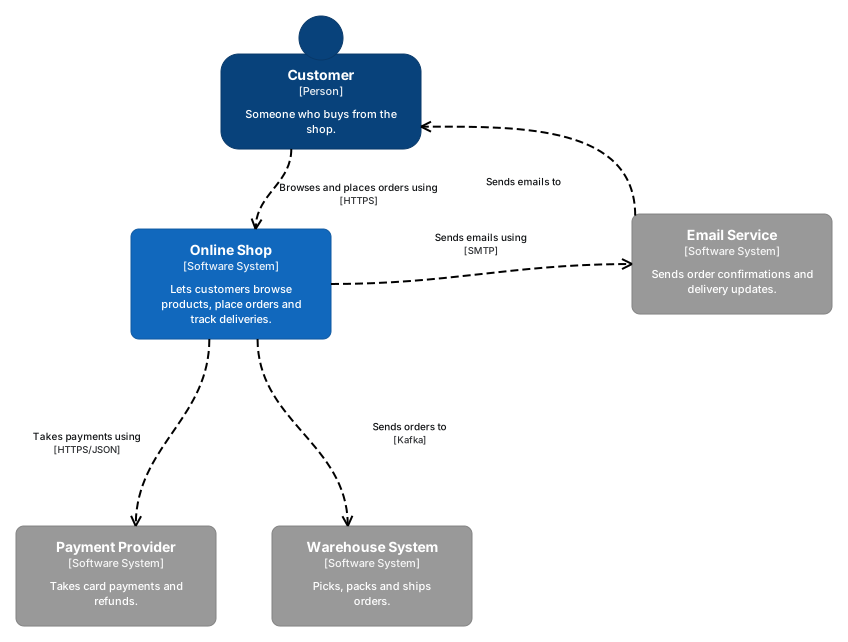
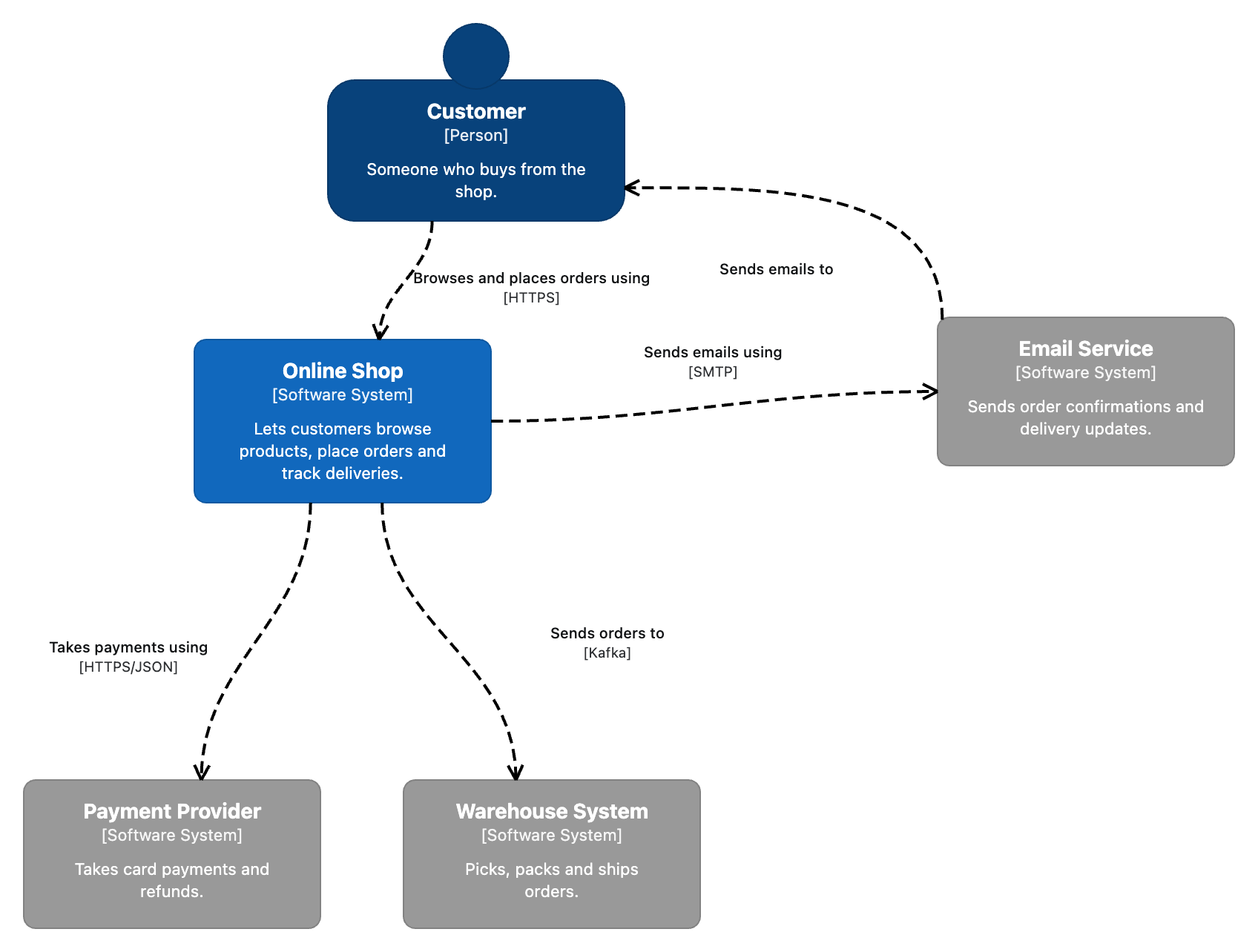
Level 1 System Context
The big picture: the system, the people who use it and the systems it depends on. External systems are grey, so the boundary of what you own is obvious at a glance.
Level 2 Containers
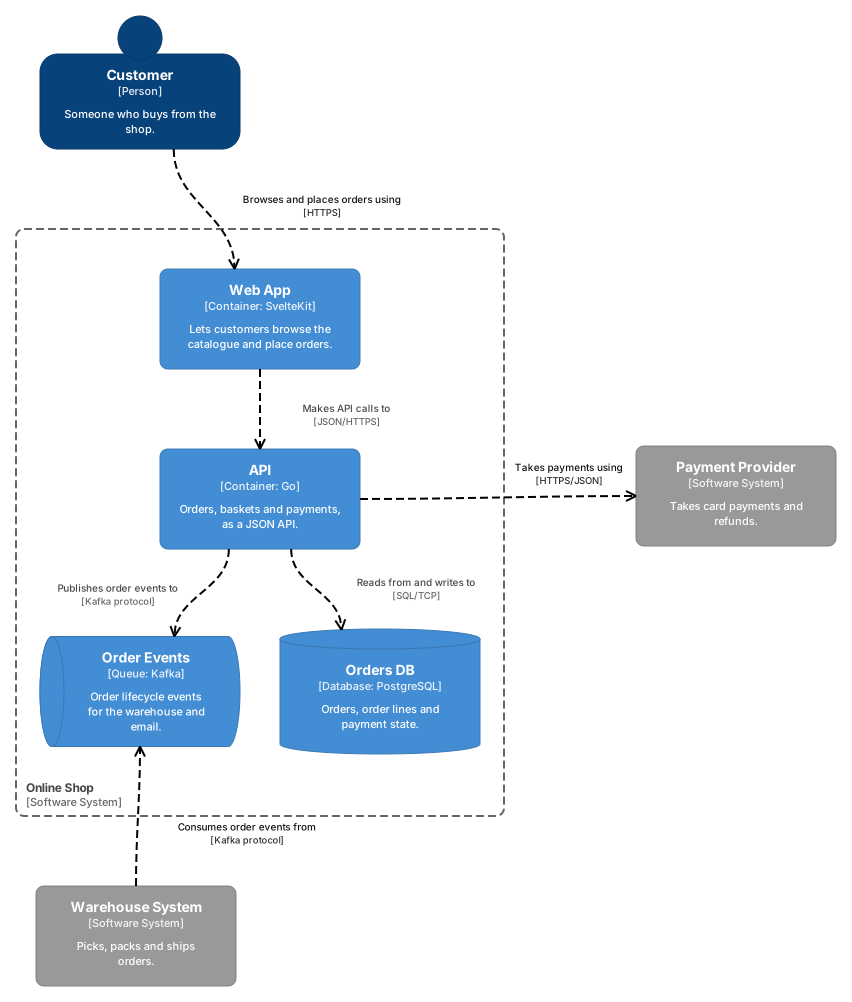
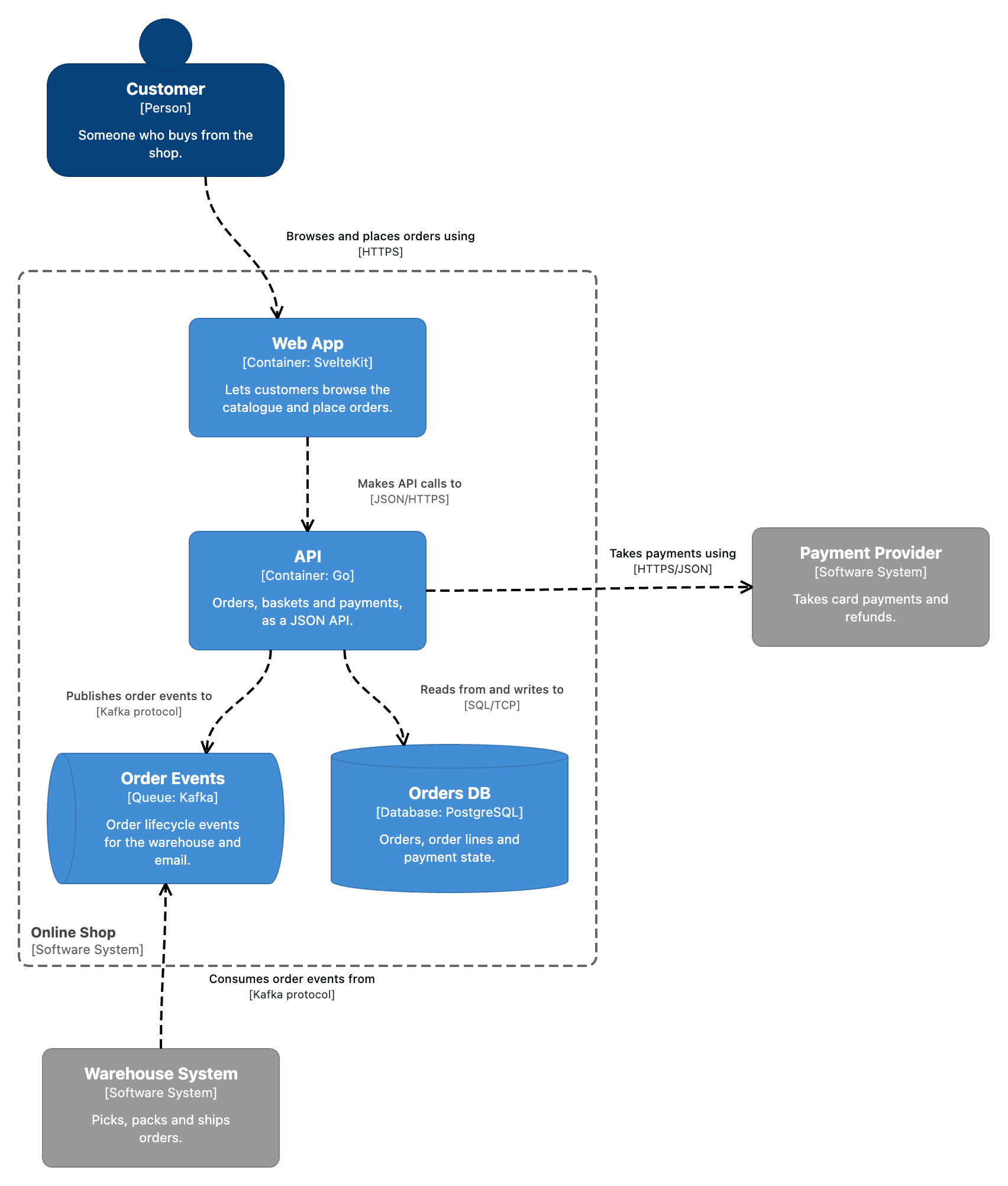
Zoom into the system: the deployable things inside it and how they talk. Databases are drawn as cylinders and queues as pipes; every line carries its technology.
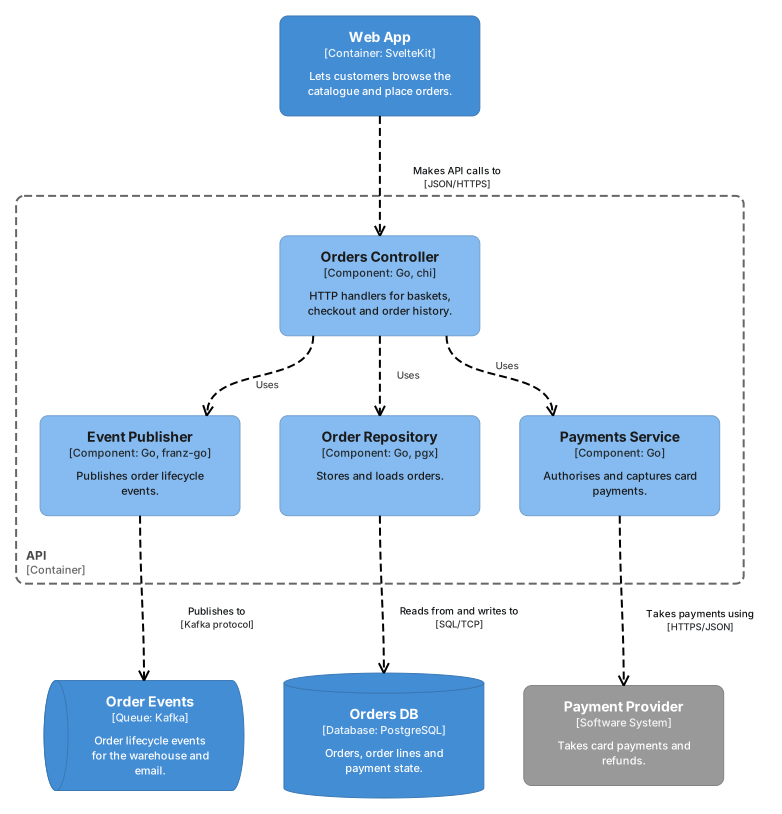
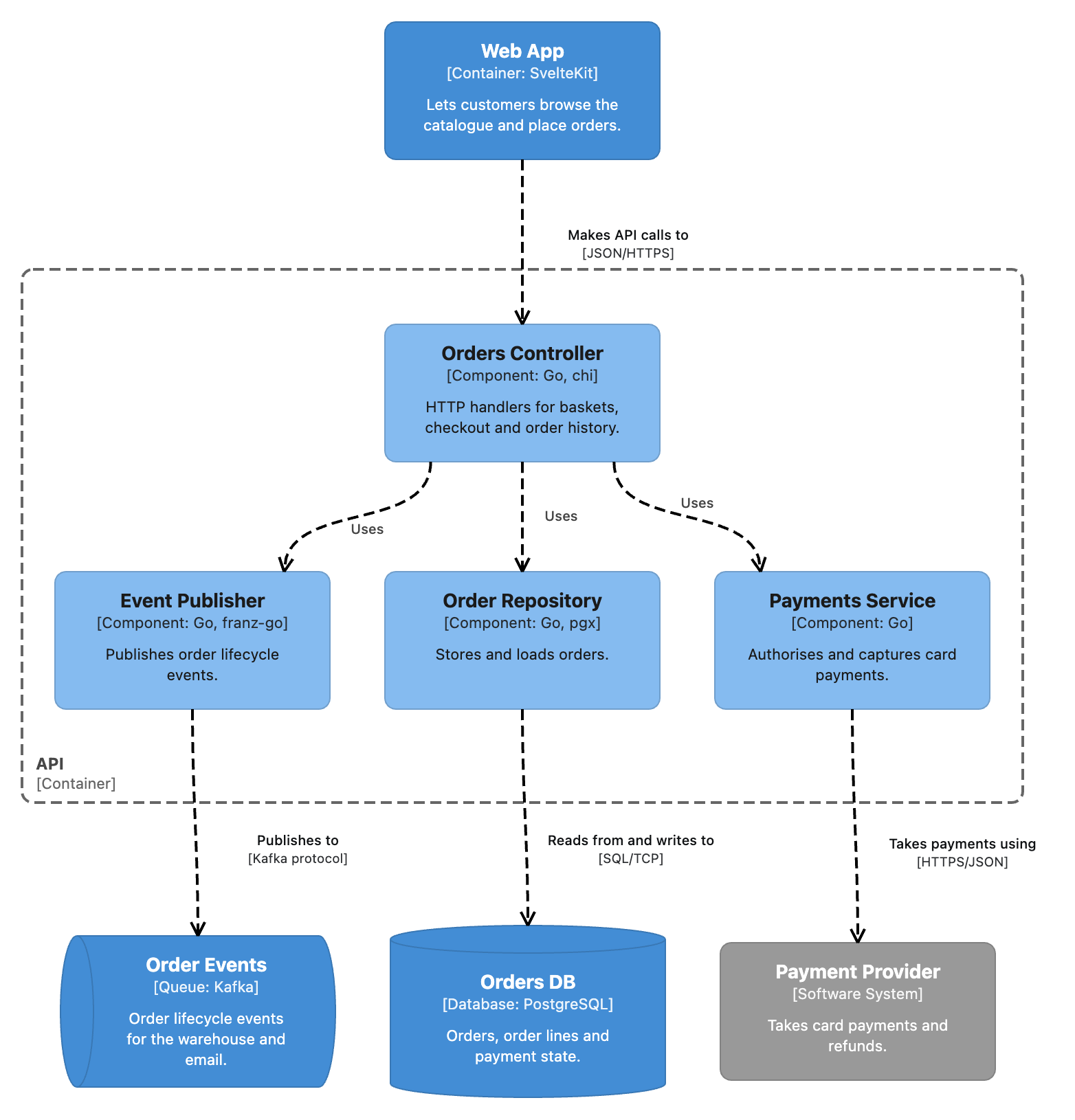
Level 3 Components
Zoom into one container: its major building blocks. The neighbouring containers and systems come along on the same diagram, because they are the same model elements.
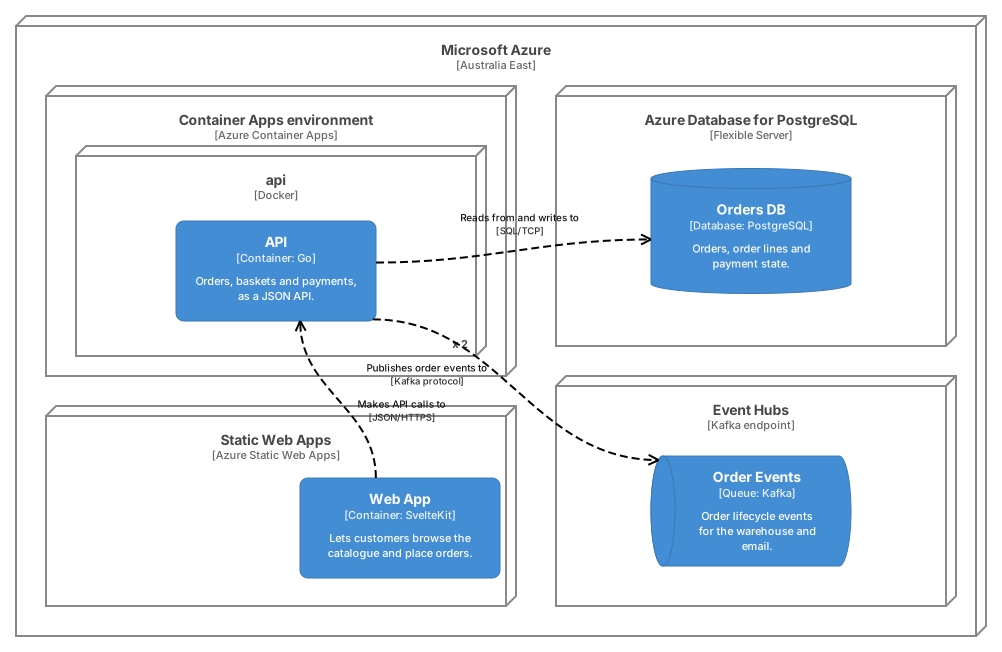
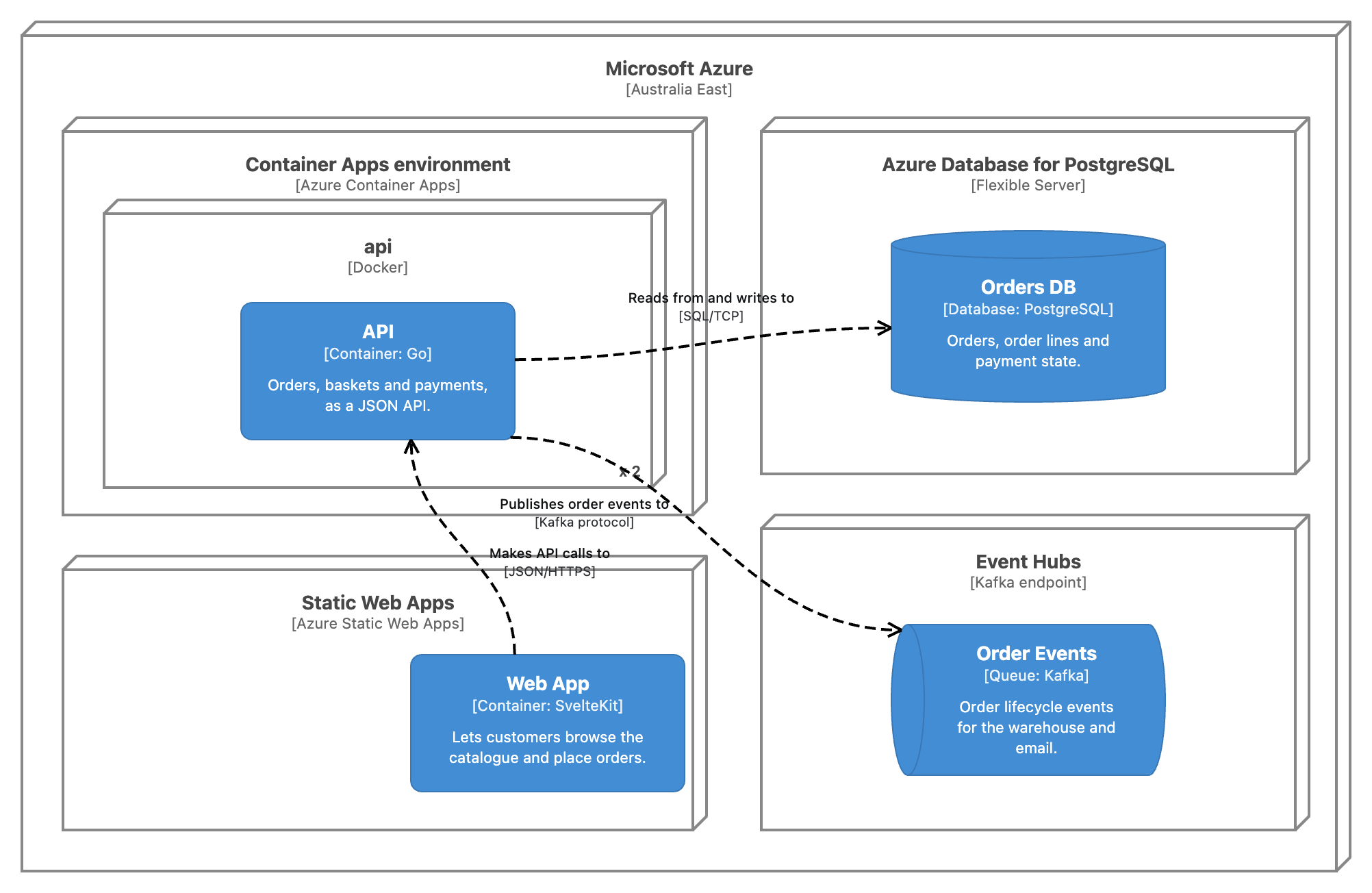
Deployment Deployment
Where the containers run in production. Deployment nodes nest as deeply as your infrastructure does, and show their technology and instance count.
What you get
- Every C4 element type
- Person, Software System, Container (with Database and Queue variants),
Component, the Enterprise, System and Container boundaries, and
Deployment and Infrastructure Nodes. Relationships carry a description
and a
[technology], and their labels sit on a paper background so lines break cleanly around them (Properties → Appearance sets it per relationship). Each element type is in the palette and shows its own name, a[Kind: technology]line and its description, in the standard C4 colours. - One model, many views
- The API container on the Container diagram is the same element on the Component and Deployment diagrams. Rename it once and every view follows.
- C4 and UML side by side
- C4 elements are UML elements with a C4 stereotype: a Container is a UML Component, a Person is an Actor. The same model holds the class diagrams, sequence diagrams and state machines behind each component, which is C4's level 4, Code, done properly.
- Sketch for the whiteboard, clean for the document
- Every diagram has a formality setting. Slide it down for the hand-drawn look while the design is still moving; slide it up when it goes in the architecture document. It's the same diagram either way, never redrawn.
- Ready-made diagram types
- New Diagram offers System Landscape, System Context, Container, Component and Deployment. Each one sets its zoom level and applies the C4 profile to the package in one step.
- Zoom-level guidance
- The Validation panel points out when a diagram mixes levels, such as a Component on a System Context view, when a container sits outside its system's boundary, or when a boundary names no system in the model. It's advice, not a rule: a diagram that bends C4 on purpose is still yours to draw.
- Structurizr DSL export
- Export a package as a Structurizr
workspace.dsl: people, systems, containers, components, deployment nodes, relationships, and a view for each C4 diagram. The same model always writes the same file, ready to check in and diff. The DSL can't carry positions, so each view getsautoLayoutin the direction your diagram runs, or none if you'd rather lay it out in Structurizr. Errors such as an ambiguous boundary stop the export with a list of what to fix. - Structurizr DSL import
- Bring an existing
workspace.dslinto a package, by file or by pasting it. Elements, relationships and one laid-out diagram per view arrive as C4 elements you can keep editing. Importing again matches what the package already has by name and updates it, without deleting anything, and Undo reverts the whole import.!include,!scriptand plugins aren't run. - Draw it with your AI assistant
- EOModeller's MCP server knows the C4 element types, so Claude or another AI assistant can build a C4 model from a description or a codebase and lay out the diagrams for you to refine. The samples on this page started that way.
- Export anywhere
- SVG, PNG and PDF export of any view, with the hand-drawn font embedded in sketch mode. UML XMI export carries the C4 profile and every C4 stereotype with its technology, so other UML tools can recognise a Container as a Container.
Not yet
Dynamic views are out of scope for now: a UML sequence diagram on the same elements tells that story. Structurizr styles and themes aren't carried across, and an import skips dynamic, filtered and image views with a warning.
References
- The C4 model: c4model.com, created by Simon Brown
- UML in EOModeller: /uml
- Notation conformance: /notations